
Choosing a reliable web hosting provider is one of the most important decisions you’ll make when building a small business website. Your website might have an excellent design, useful content, and a professional appearance, but if it loads slowly, experiences frequent downtime, or becomes difficult to maintain, it can create problems for your business.
For a small business, hosting isn’t just about renting server space. It’s about keeping your website accessible, protecting your data, making updates easier, and ensuring your site can handle growth without requiring an expensive migration every few months.
The challenge is that there are hundreds of hosting providers, and almost all of them promise fast performance, excellent uptime, and affordable pricing. Some offer beginner-friendly WordPress hosting, while others specialize in managed hosting, cloud infrastructure, or websites with more demanding requirements.
So, which providers are actually worth considering?
In this guide, we’ll compare reliable web hosting providers for small business websites, explain who each provider is best suited for, and cover the features you should evaluate before purchasing a hosting plan.
The focus is on businesses using WordPress, including service-based websites, company websites, and WooCommerce stores.
What Makes a Web Hosting Provider Reliable?
Before comparing providers, it’s important to understand what reliability actually means.
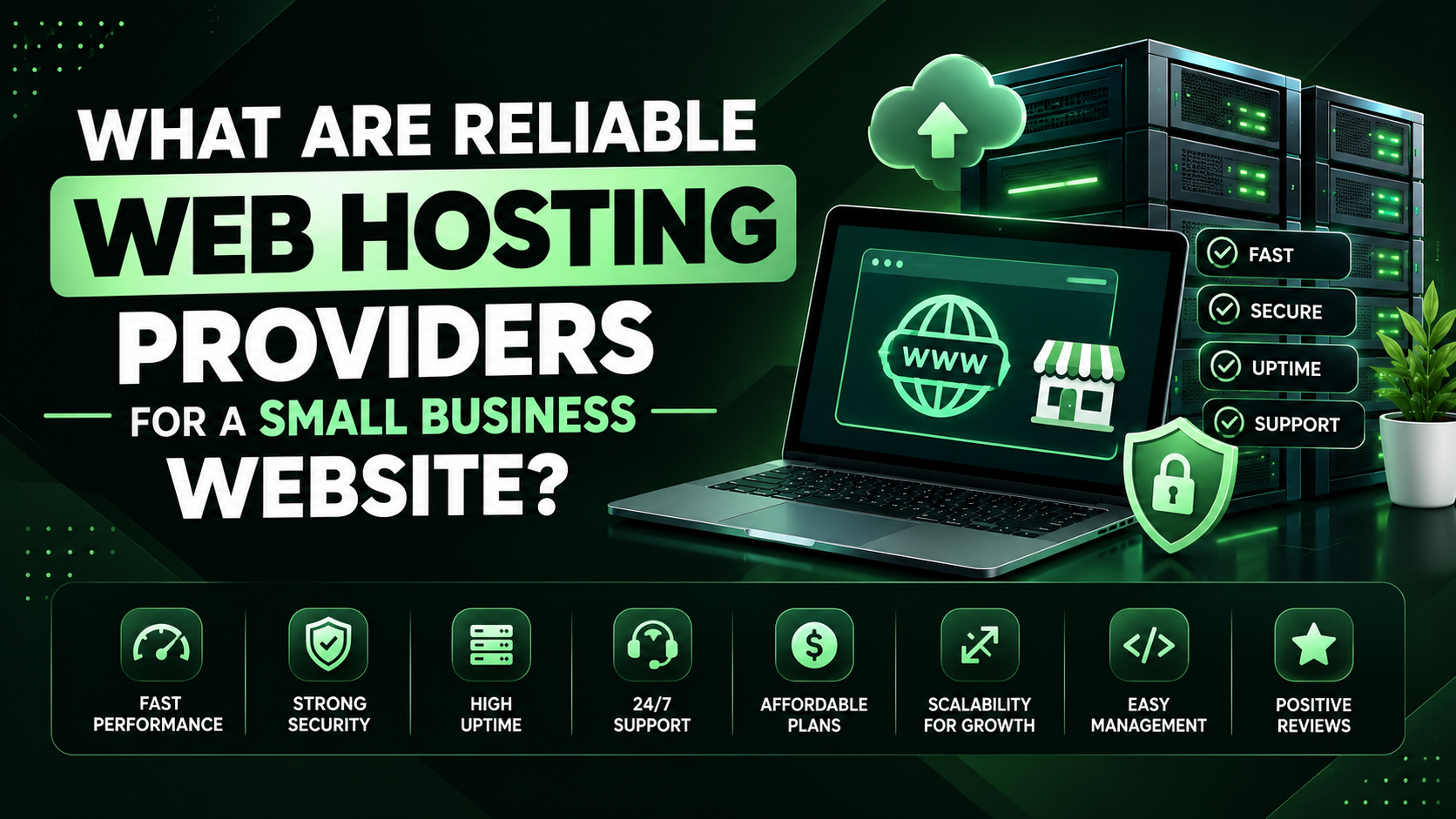
A reliable host should do more than keep your website online. It should provide the infrastructure and support necessary to keep your website accessible, secure, and manageable.
Here are the factors I’d prioritize when choosing hosting for a business website.
1. Uptime and availability
Uptime refers to the amount of time your website remains accessible to visitors.
Even short periods of downtime can be inconvenient for a business, particularly if customers rely on your website to find contact details, request quotes, book appointments, or place orders.
For context, 99.9% uptime over a 365-day year allows approximately 8 hours and 46 minutes of downtime. A provider’s advertised uptime commitment is useful, but it doesn’t guarantee that your particular website will never experience an outage.
Look for published uptime commitments, a clear service-level agreement where available, and an understandable policy for handling outages.
2. Website speed and performance
Your hosting environment affects how quickly your website can respond to visitors.
Server resources, storage technology, caching, database performance, and server location can all influence performance. Your WordPress theme, Elementor layout, plugins, images, and third-party scripts also matter.
A powerful hosting plan cannot compensate for every poorly optimized website, so look for a provider that combines suitable infrastructure with useful performance tools.
3. Security features
A hosting provider should offer a reasonable security foundation, including SSL support, server maintenance, account isolation where applicable, and clear procedures for handling security incidents.
Automatic backups and malware monitoring are also valuable, although their availability varies by provider and plan.
4. Customer support
If your website goes offline or an update causes problems, you need a clear way to get assistance.
Check whether support is available around the clock, which channels are offered, and whether the provider helps with WordPress-specific issues or only server-level problems.
5. Backups and recovery
Backups help you recover from accidental changes, failed updates, or security incidents.
However, backup frequency, retention periods, and restoration fees can vary considerably. Check these details before purchasing rather than assuming every plan includes daily backups.
6. Transparent pricing
Introductory hosting prices can be substantially lower than renewal prices.
Compare the initial payment, renewal rate, contract length, domain renewal fees, email hosting, backup features, and any additional services you may need.
My advice: Choose hosting based on the total value you receive, not simply the lowest advertised monthly price.
6 Reliable Web Hosting Providers for Small Business Websites
The following providers are worth comparing for different small business needs. They are not ranked by independent hands-on performance testing; each has a different balance of cost, convenience, WordPress features, and scalability.
1. Hostinger
Budget-friendly choice
Hostinger is worth considering for startups, freelancers, and small businesses that want to launch a WordPress website without committing to premium hosting prices.
Its hosting options include WordPress hosting, shared hosting, and higher-resource plans. Depending on the plan, features may include SSL, backups, caching, a domain offer, and business email.
Best for: New business websites, portfolios, service providers, and smaller WordPress sites.
Things to check: Renewal pricing, the number of websites permitted, backup frequency, email limits, and the resources included in your chosen plan.
2. SiteGround
SiteGround is worth comparing if WordPress support, managed features, and built-in performance tools are important to you.
Its WordPress hosting offerings include caching and management features, while available backup, staging, and other capabilities depend on the plan.
Best for: Business websites that need a more managed WordPress experience and owners who value support.
Things to check: Renewal costs, website and storage limits, backup retention, and which support features are included in your plan.
3. Bluehost
Bluehost is a familiar option for WordPress beginners who want a relatively straightforward setup process.
It offers WordPress-oriented hosting, website setup tools, and hosting plans designed for different needs. Features and support options vary by package.
Best for: Business owners launching their first WordPress website who prefer guided setup.
Things to check: Renewal prices, backup arrangements, email allowances, and whether the plan includes the support and performance features you need.
4. Namecheap
Namecheap is particularly worth considering if you want to manage your domain and hosting through the same provider.
It offers shared hosting and WordPress-related hosting options, making it an option for smaller websites that don’t need a complex hosting environment.
Best for: Budget-conscious businesses, basic company websites, and owners who value straightforward domain management.
Things to check: Backup schedules, email limits, renewal rates, available server locations, and the level of WordPress assistance included.
5. DreamHost
DreamHost offers shared hosting, WordPress hosting, and higher-resource options for businesses with different requirements.
Its WordPress hosting services are worth comparing if you want a beginner-friendly setup or are considering a more managed environment as your website grows.
Best for: Small businesses and website owners who want a choice of entry-level and WordPress-focused hosting.
Things to check: The specific plan’s backup policy, email arrangements, renewal price, and the distinction between shared and managed WordPress hosting.
6. Kinsta
Kinsta is a premium managed WordPress hosting provider aimed at businesses that want more specialized hosting infrastructure and management tools.
It may be worth the higher cost when website performance, managed operations, and support are especially important. It is not necessarily the right choice for a new business with a simple brochure website.
Best for: Established businesses, demanding WordPress websites, and stores that need a more managed environment.
Things to check: Monthly cost, visitor or resource allowances, storage limits, and the terms for overages.
Quick Comparison: Which Provider Should You Choose?
This table summarizes the general positioning of the providers rather than claiming that one has the best measured uptime or fastest servers.
| Provider | Best suited for | General positioning |
|---|---|---|
| Hostinger | New and budget-conscious businesses | Affordable entry point |
| SiteGround | WordPress sites needing managed features | Support and WordPress tools |
| Bluehost | First-time WordPress users | Guided setup |
| Namecheap | Small websites and domain management | Budget-conscious option |
| DreamHost | Beginners and growing WordPress sites | Range of hosting options |
| Kinsta | Established or demanding WordPress sites | Premium managed hosting |
Hosting plans and included features change, so verify the current details directly with the provider before making a purchase.
For another current comparison of small-business hosting options, the Shopify small-business hosting guide provides a broader overview of hosting types and providers.
Which Type of Hosting Does a Small Business Need?
Choosing a provider is only half the decision. You also need the right type of hosting.
Shared hosting
Shared hosting places multiple websites on the same server.
It’s usually an affordable starting point for a small business website that receives modest traffic and doesn’t need extensive server resources.
Consider it if: You’re launching a company website, portfolio, or basic service website.
Watch out for: Resource limitations, traffic spikes, and the fact that other workloads on shared infrastructure can affect performance.
Shared hosting isn’t automatically unreliable. The provider’s infrastructure, resource limits, and management practices matter.
Managed WordPress hosting
Managed WordPress hosting is designed specifically for WordPress websites. Depending on the provider, the service may handle tasks such as server maintenance, backups, caching, staging, and WordPress-specific support.
This can be useful if you’d rather focus on your business than manage technical infrastructure.
Consider it if: You want to reduce maintenance work or need help managing a WordPress website.
Watch out for: Higher costs, restrictions on certain plugins or configurations, and differences in what the provider actually manages.
Cloud hosting
Cloud hosting uses cloud infrastructure to provide hosting resources, with the exact architecture and management varying by service.
It can offer more flexibility for businesses with changing workloads or growing resource needs.
Consider it if: Your website is growing, has traffic fluctuations, or requires more control over resources.
Watch out for: Some cloud platforms require more technical knowledge. A managed cloud service and an unmanaged cloud server are very different products.
VPS hosting
A virtual private server provides a more isolated allocation of server resources than typical shared hosting.
It can provide greater control and predictable resource allocation, but an unmanaged VPS also means taking responsibility for server administration, updates, and security.
Consider it if: Your website has outgrown shared hosting and you have the technical ability or budget to manage a server.
For many small businesses, a good shared or managed WordPress plan is sufficient. There’s no need to pay for server resources you don’t use.
How to Choose Hosting for a WordPress Website Built With Elementor
If you’re building a business website with WordPress and Elementor, don’t choose hosting based on the advertised number of websites or storage alone.
Elementor gives you considerable design flexibility, but your website’s performance depends on the entire setup, including the hosting environment, theme, plugins, images, fonts, scripts, and caching configuration.
I’d pay particular attention to these factors.
Server resources: Make sure the plan provides sufficient CPU, memory, and PHP resources for your website and its plugins.
Caching and performance: Check whether the host offers server-level caching and whether it works with your WordPress setup.
PHP and database support: Confirm that the hosting environment meets the current requirements of WordPress, Elementor, and your other plugins.
Staging: A staging environment lets you test design changes, plugin updates, and other modifications before applying them to your live website.
Backups and restoration: Check how frequently backups run and how easily you can restore the website if an update breaks something.
Support: Confirm whether the support team can help with WordPress-related issues or only hosting infrastructure.
A website built with Elementor doesn’t automatically need expensive managed hosting. For a relatively simple business website, an appropriate entry-level plan may be enough. Choose based on the actual site and its expected workload.
What About Hosting for a WooCommerce Store?
A WooCommerce store has different requirements from a simple business website.
An ordinary service website might primarily display information and collect inquiries. An online store also processes product searches, customer accounts, carts, checkout requests, and orders.
These activities can require more server resources, especially during busy periods.
When selecting hosting for WooCommerce, prioritize:
- Sufficient server resources for dynamic pages and database operations.
- Reliable backups that account for changing order data.
- SSL and secure hosting configuration.
- A clear process for resolving outages.
- Staging facilities for testing updates.
- Compatibility with your payment, shipping, and inventory plugins.
- Room to scale if traffic or order volume increases.
I’d also consider the cost of downtime. If customers can’t check out, the business may lose sales even when the rest of the website appears to work.
For a small store, a suitable WordPress hosting plan may be sufficient. For a growing store with substantial traffic or more complex integrations, managed WordPress or managed cloud hosting may be worth the additional cost.
The key is to choose a plan that fits your current workload while leaving room for growth.
How Much Should You Spend on Web Hosting?
There isn’t one correct hosting budget for every small business.
The right amount depends on the website’s complexity, expected traffic, support requirements, and the cost of downtime.
| Business requirement | Hosting approach to consider |
|---|---|
| Basic informational website | Entry-level shared hosting |
| Professional WordPress business website | Quality shared or managed WordPress hosting |
| Small WooCommerce store | WordPress or WooCommerce-capable hosting with sufficient resources |
| Growing website with demanding workloads | Higher-resource managed WordPress or cloud hosting |
| Business-critical website | Managed hosting with stronger recovery, monitoring, and support arrangements |
These are general guidelines rather than fixed price categories.
Don’t overlook renewal prices
Some providers advertise very low introductory rates that require long-term commitments. The renewal price can be significantly higher.
Before purchasing, calculate the total cost over at least two or three years, including:
- Hosting renewals.
- Domain registration and renewal.
- Professional email.
- Premium backup or security services.
- Migration fees, if applicable.
- Additional resources or support.
You may discover that a slightly more expensive plan offers better value once all the costs are included.
Common Web Hosting Mistakes Small Businesses Should Avoid
Even a reputable hosting provider can’t guarantee a trouble-free website if you choose the wrong plan or overlook important details.
1. Choosing the cheapest plan without checking its limits
Low-cost hosting can be perfectly reasonable for a new business. Problems arise when the plan lacks the resources, backups, or features your website needs.
2. Assuming all hosting plans include daily backups
Backup policies differ. Check the schedule, retention period, and restoration process. If your website is important to your business, maintain an independent backup as well.
3. Ignoring support quality
A hosting provider may offer excellent advertised features but still be unsuitable if its support cannot help you resolve problems quickly.
Look for clear support channels and understand their limitations before purchasing.
4. Paying for more resources than you need
A new business website rarely needs the same infrastructure as a high-traffic online store.
Start with an appropriate plan and upgrade when your website’s actual requirements justify it.
5. Assuming hosting alone makes a website fast
A slow website may be caused by oversized images, poorly optimized Elementor layouts, excessive plugins, inefficient scripts, or database problems.
Hosting matters, but website optimization matters too.
6. Forgetting website ownership
Keep control of your domain registration and make sure you have appropriate access to the hosting account and WordPress administrator account.
If a developer manages hosting for you, establish how you’ll receive access and how the website will be transferred if the relationship ends.
A Practical Checklist Before Buying Hosting
Before committing to a provider, I’d check the following:
- The hosting plan supports your website platform and required plugins.
- The server location or delivery network suits your target audience.
- The plan provides enough resources for your website.
- SSL is included or affordable to configure.
- Backup frequency and retention are clearly documented.
- You understand how restoration works.
- Support availability meets your business needs.
- Introductory and renewal prices are clear.
- The plan includes the email features you need, if any.
- You can upgrade without an unnecessarily complicated migration.
- You retain access to your domain and hosting accounts.
You don’t need to find a provider that scores perfectly on every point. Prioritize the factors that matter most to your business and compare the plans accordingly.

Final Thoughts
So, what are reliable web hosting providers for a small business website?
Hostinger, SiteGround, Bluehost, Namecheap, DreamHost, and Kinsta are all worth considering, but they serve different needs and budgets.
For a new business website, I’d start by comparing affordable hosting with the features you actually need. If you’re building a WordPress website with Elementor, pay attention to server resources, caching, backups, and support. If you’re running a WooCommerce store, place even more emphasis on recovery, performance under load, and the cost of downtime.
Most importantly, don’t assume that the most expensive provider is automatically the best or that the cheapest plan is always the best value.
Reliable hosting is the hosting that fits your website, provides the resources and support you need, and allows your business to grow without unnecessary technical problems.
Choose carefully, understand the renewal costs, keep independent backups, and review your hosting needs as your business develops.
More to know About Us